Mit einem Blick suchen und einfach mehr über deine Umgebung erfahren.

| Name | Google Lens |
|---|---|
| Publisher | Google LLC |
| Genre | Tools |
| Version | |
| Update | September 1, 2026 |
| Get it On | Play Store |
Preview


What Is Google Lens?
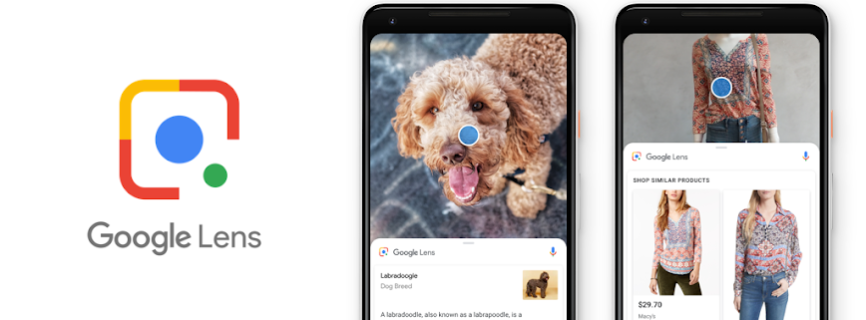
Google Lens is Google’s visual search tool — point your camera at something and it identifies objects, translates text in real time, solves math problems, and searches for visually similar products, all without typing a query.
What It Offers
- Visual search: identify plants, landmarks, products, and more just by pointing your camera.
- Real-time text translation: translate signs, menus, and documents instantly through the camera view.
- Homework help: point at a math problem for step-by-step solving guidance.
- Copy text from images: extract and copy real text from a photo instead of retyping it.
- Shopping search: find where to buy a product you photograph.
Is It Safe to Download as an APK?
- Confirm the publisher is Google LLC before installing from a third-party page.
- Compare version and file size against the current official listing.
- Standard Play Protect sideload warning applies.
See our How We Verify APK Safety page for what we check before publishing any listing.
Should You Use It?
Good fit if you frequently need quick translation, object identification, or want to search visually instead of typing. On many Android phones, Lens is already built into the camera app — check there first before installing it as a separate app.
FAQ
Is Google Lens free? Yes, completely free.
Do I need a Google account to use Lens? Basic visual search works without signing in, though some features (like saving results) work better when signed in.
Is Google Lens already on my phone? On many Android devices, Lens is built into the default Camera app or Google app — check there before assuming you need a separate install.
Related Apps
What's New
Lens now analyzes camera motion for more accurate results.
Download Google Lens APK Download — Visual Search & Safety Check
All Versions

Google Lens
apk
8:11 pm