Personalized recommendations, downloading tools, and privacy management

| Name | Mi Browser |
|---|---|
| Publisher | Zhigu Corporation Limited |
| Genre | Tools |
| Version | 14.60.0-gn |
| Update | September 30, 2026 |
| Get it On | Play Store |
Preview


Mi Browser — Download, Features, and Safety Check
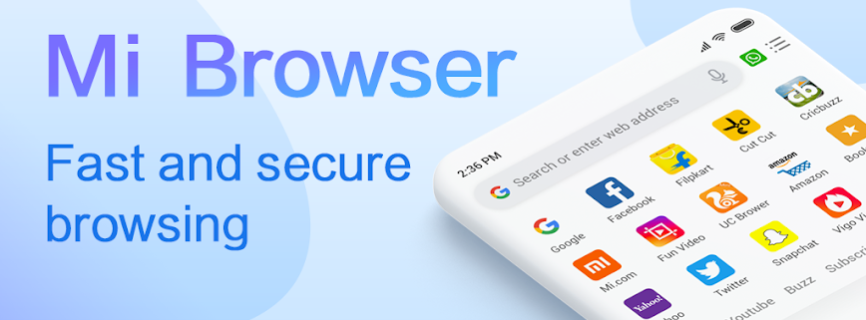
Mi Browser is Xiaomi’s built-in web browser, pre-installed across MIUI and HyperOS devices and built around a specific promise: fast, lightweight browsing that doesn’t chew through your mobile data. It’s a Chromium-based browser, which means the core rendering engine is the same open-source foundation Chrome itself is built on — but Xiaomi has layered its own data-saving, privacy, and file-management tools on top.
The package name is com.mi.globalbrowser, and it’s worth checking this against whatever listing you’re looking at — package name verification is the single most reliable way to confirm you’re getting the genuine app rather than a clone, a point covered in more depth in our Complete Guide to APK Safety.
Data Saving: The Core Feature
Data Saving mode is Mi Browser’s signature feature, and it works by serving lightweight, compressed versions of web pages rather than full-resolution ones. For anyone on a limited or expensive mobile data plan, this is a meaningful, ongoing saving rather than a one-time convenience. It’s the same underlying idea as Facebook Lite applies to one specific app — Mi Browser just applies it across the entire web.
Privacy Controls
Mi Browser includes a real incognito mode (no saved browsing or search history), the ability to turn aggregated data-sharing with Xiaomi on or off directly within incognito settings, third-party cookie blocking, and a “Do Not Track” option. According to Xiaomi’s own published privacy documentation, the browser collects usage, advertising, and crash data for personalization and analytics purposes, some of it identified rather than anonymized, with retention periods of 90–180 days depending on the category — all disclosed and adjustable through Settings → Privacy and Security.
If you want to minimize this collection, the relevant toggle is under Settings → Password & Security → Privacy → User Experience Program, where you can opt out of the aggregated analytics program entirely. This is worth doing deliberately rather than assuming a default setting already protects you — the same principle we cover in our piece on free VPN apps that failed to actually encrypt user traffic: a privacy feature only works if it’s actually configured correctly, not just present in the app.
Built-In Ad and Pop-Up Blocking
Unlike Chrome, which requires a separate extension for ad blocking (and doesn’t support extensions on Android at all), Mi Browser includes ad and pop-up blocking natively, with granular control to allow ads from specific trusted sites while blocking more intrusive formats elsewhere. Safe Browsing protection, which checks sites against known-malicious lists, is also built in and worth confirming is enabled in settings rather than assumed.
Other Notable Features
- Reading mode: strips ads and clutter from long-form articles for a cleaner reading layout.
- Voice search: search by speaking rather than typing.
- Translation: select text on any page and translate it instantly without leaving the browser.
- Dark mode: a full dark color scheme, not just an inverted page.
- Media downloading: save images, videos, and WhatsApp status content directly from supported sites.
- File management and private folder: browse and organize on-device media, with a separate private folder for sensitive files.
- Desktop mode toggle: switch a mobile page to its desktop layout when needed.
Will It Work on a Non-Xiaomi Phone?
Mi Browser is more broadly compatible than some of Xiaomi’s other system apps. Unlike Xiaomi GetApps, which depends on Xiaomi Mobile Services and is effectively locked to Xiaomi-family hardware, Mi Browser functions as a more standard app-layer tool. It generally installs and runs on non-Xiaomi Android phones, with the core browsing, data-saving, and privacy features intact — though a handful of deep MIUI/HyperOS-specific integrations (system-level theme matching, certain notification behaviors) may not carry over identically.
Is Mi Browser Safe to Download as an APK?
- Confirm the publisher. Listings show this as either “Xiaomi Inc.” or “Zhigu Corporation Limited” depending on the source — both are legitimate, associated Xiaomi entities, but the package name (
com.mi.globalbrowser) is the more reliable check than the publisher name alone. - Compare version and file size against the current official listing before installing from a third-party page.
- Review storage permission prompts before saving any downloaded files — a browser reasonably needs storage access for its download manager, but this is still worth confirming rather than granting on autopilot.
- Standard Play Protect sideload warning applies — expected for any APK installed outside the Play Store, and not a verdict on this specific file.
See our How We Verify APK Safety page for the full sourcing and verification process we follow before publishing any listing.
A Quick Privacy Setup Worth Doing on First Install
For anyone who wants a cleaner, safer setup from the start: enable ad blocking, enable pop-up blocking, enable Safe Browsing, block third-party cookies, set downloads to “ask before downloading” rather than automatic, and turn Data Saving on if you’re using mobile data. These aren’t exotic settings — they’re a five-minute pass through the privacy menu that meaningfully changes the browser’s default behavior.
Should You Use It?
Good fit if you want a lightweight, data-conscious browser with real built-in privacy controls and don’t need Chrome-specific extensions or tight Google-account sync across devices. It’s a particularly strong pick if mobile data cost or speed is a real constraint, since Data Saving mode is doing genuine, continuous work rather than a one-time setting. Less of a fit if your workflow depends on browser extensions, since Mi Browser — like most Android browsers — doesn’t support them.
FAQ
Does Mi Browser work on non-Xiaomi phones? Generally yes — core features install and run on other Android devices, though some deep MIUI/HyperOS-specific integrations won’t be available.
Is Mi Browser free? Yes, completely free with no subscription tier.
Does Mi Browser block ads by default? Ad blocking is built in but should be confirmed as enabled in settings — check Settings → Privacy and Security to verify current configuration.
Can I stop Mi Browser from sharing my data with Xiaomi? Yes — the aggregated data-sharing toggle is available directly within incognito mode settings, and the broader analytics program can be disabled under Settings → Password & Security → Privacy → User Experience Program.
[Related Apps]
Related: Xiaomi GetApps · Facebook Lite · The Complete Guide to APK Safety
What's New
- Fixed bugs
Download Mi Browser APK — Features, Data Saving, Safety Check
All Versions

Mi Browser
14.60.0-gn
apk
8:05 pm